How to Get an M-Pesa Statement for Business and Reconcile It With Your Sales (2026 Guide)
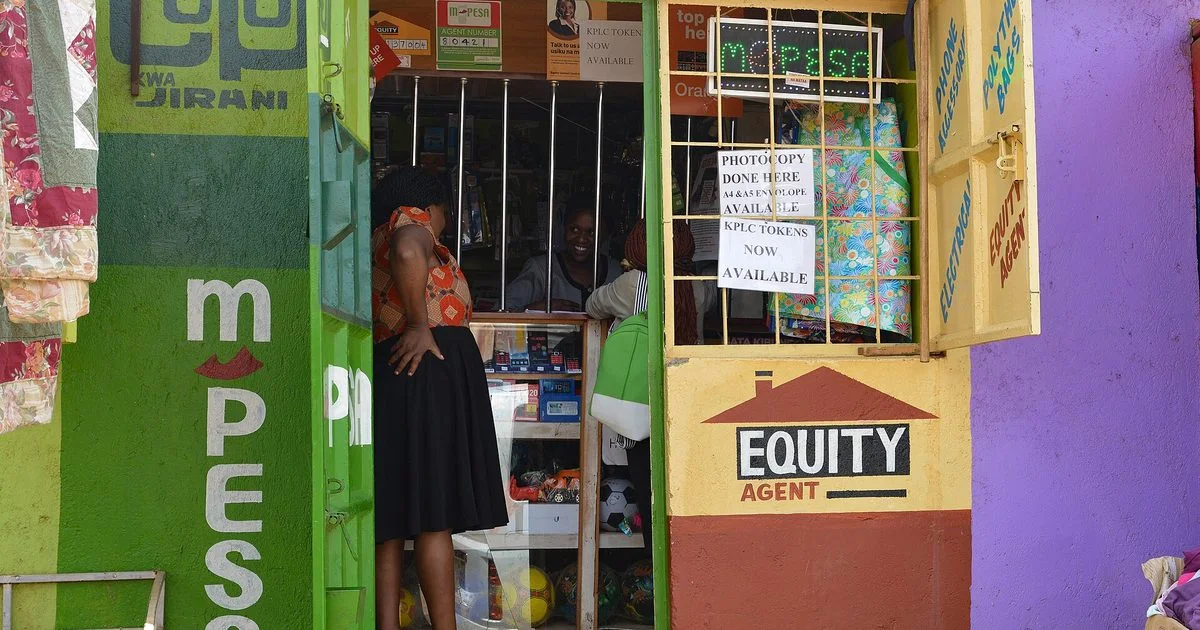
For most Kenyan businesses, M-Pesa is the till. But money landing on your phone is not the same as knowing which customer paid for what. Reconciling M-Pesa means matching every payment to a sale or invoice, and every outgoing payment to an expense, so nothing goes missing and your profit figures are true.
Quick answer: To get an M-Pesa statement, request it in the M-Pesa app (statements section) or through the M-Pesa menu (*334# → My Account), choose the period and have it emailed as a PDF. Business tills and paybills get statements from their M-Pesa business account portal or app. To reconcile: list the period’s sales and invoices, go through the statement line by line, match each payment by amount, time and transaction code, then follow up anything unmatched. Buy More Mall sellers can paste M-Pesa messages or upload a statement in the cash book’s M-Pesa check to match them automatically.
How to Get Your M-Pesa Statement
| Line type | Where to get the statement |
|---|---|
| Personal line used for business | M-Pesa app → statements; or the M-Pesa menu (*334# → My Account → M-PESA Statement) and choose email delivery |
| Buy Goods till / Paybill | Your M-Pesa business account portal or business app (statements / reports), downloaded as PDF or spreadsheet |
| Need it for a loan or visa? | Request a full statement for the period the bank or embassy asks for, sent to your email |
Menus and charges can change, so follow the current steps shown in the M-Pesa app or on Safaricom’s website. Statements sent by email are usually password-protected; the password is in the SMS Safaricom sends you.
How to Read an M-Pesa Statement
- Receipt / transaction ID: the 10-character code, e.g. QAB2X3CD56. This is what you match on.
- Completion time: date and time the money moved.
- Details: who paid or who you paid (name and, for tills, the account).
- Paid in / Withdrawn: money in and money out.
- Balance: running balance after each transaction.
How to Reconcile M-Pesa With Your Sales (Daily Routine)
- At closing, list today’s sales and invoices paid by M-Pesa.
- Open today’s M-Pesa messages or statement.
- Match each payment by amount and time, and write the M-Pesa code on the sale or invoice.
- Mark each match: sale paid, invoice paid, or deposit.
- Investigate anything left: a payment with no sale (maybe an unrecorded sale) or a sale with no payment (maybe a fake SMS).
- Record M-Pesa charges and withdrawals as expenses or transfers.
Fake M-Pesa SMS: never release goods on a forwarded or typed SMS. Check that the money is actually in your M-Pesa balance or till statement before the customer leaves.
How Buy More Mall Sellers Reconcile Automatically
In My Business → Cash book & M-Pesa check (Simba package and above), paste your M-Pesa confirmation messages or upload a statement export. Each transaction is matched to your online orders, POS sales, invoice payments, expenses and supplier payments by code, amount and date. You see three lists: matched, money that came in but was never recorded, and records with no M-Pesa behind them. The cash book then shows every shilling in and out with a running balance, and exports to Excel or PDF for your accountant.
Worked Example: The Missing KSh 4,300
A shop’s sales book for Saturday shows KSh 21,500 from M-Pesa, but the till statement shows KSh 25,800. Matching line by line finds two payments of KSh 2,150 with no sale recorded: an attendant sold two gas regulators and forgot to write them down. The owner records the sales and adds a rule: every M-Pesa code goes on the receipt.
Common Mistakes to Avoid
- Mixing personal and business money on one line without labelling.
- Reconciling once a month, when memories have faded.
- Not writing M-Pesa codes on receipts and invoices.
- Ignoring M-Pesa charges, which quietly reduce profit.
- Trusting SMS screenshots instead of the actual balance.
Frequently Asked Questions
How do I get my M-Pesa statement for business?
Till and paybill owners download statements from their M-Pesa business portal or app; personal lines request statements in the M-Pesa app or through *334#.
How do I get an M-Pesa statement via email?
Request a statement in the M-Pesa app or menu, choose email delivery and confirm your email address; the PDF arrives with a password sent by SMS.
How long does it take to get an M-Pesa statement?
Statements requested by email usually arrive within minutes to a few hours.
What does reconcile M-Pesa mean?
Matching every M-Pesa payment in your statement to the sale, invoice or expense it belongs to, and investigating anything that does not match.
Can I upload an M-Pesa statement to match my sales automatically?
Buy More Mall sellers can paste messages or upload a statement in the cash book M-Pesa check to match them to orders, sales and expenses.
Cover photo: M-PESA mobile money and Equity agent, Nairobi, Kenya.jpg by Fiona Graham, CC BY-SA 2.0, via Wikimedia Commons. Cropped.
Related Guides
Recent Posts
How to Sign a Document Online in Kenya (2026): Free E-Signature, PDF on Phone or Laptop, and Is It Legal?
How to Start a Parcel Pickup Point Business in Kenya (2026): Requirements, Earnings per Parcel and How to Apply
How to Pay With PayPal in Kenya (2026): Does PayPal Work, Linking a Card, M-Pesa Top-up and Paying Online
How to Accept Card Payments in Kenya (2026): Card Machines, Online Card Checkout and PayPal for Small Businesses
Purchase Order (LPO) Format in Kenya (2026): Sample, What to Include and How to Raise One
Delivery Note Format in Kenya (2026): Sample, Template, What to Include and Proof of Delivery
Credit Note vs Debit Note in Kenya (2026): Meaning, Examples, When to Issue Each and eTIMS
How to Get an M-Pesa Statement for Business and Reconcile It With Your Sales (2026 Guide)
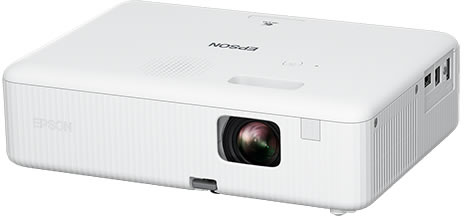
Projector Price in Kenya (2026): Home, Office and School Projectors, Lumens, Screen Size and How to Connect
 buymoremall
Kenya's Online Marketplace
Buy More Mall Kenya gives you a direct link to manufacturers, suppliers and service providers. Sellers are verified, there are no shortcuts, and customised orders come at affordable rates.
- Buy direct from manufacturers & suppliers
- Verified sellers and service providers
- Pay securely with M-Pesa
Shop
Sell & Earn
Help
Contact Us
- 0717 263 774
- Chat on WhatsApp
- buymoremallkenya@gmail.com
- Eastern bypass Ruiru Near Naivas super market @ kamakis & Nanyuki Neema Academy
- Contact page