Salon Appointment Booking System in Kenya (2026): Free Online Booking for Salons, Barbers and Small Businesses
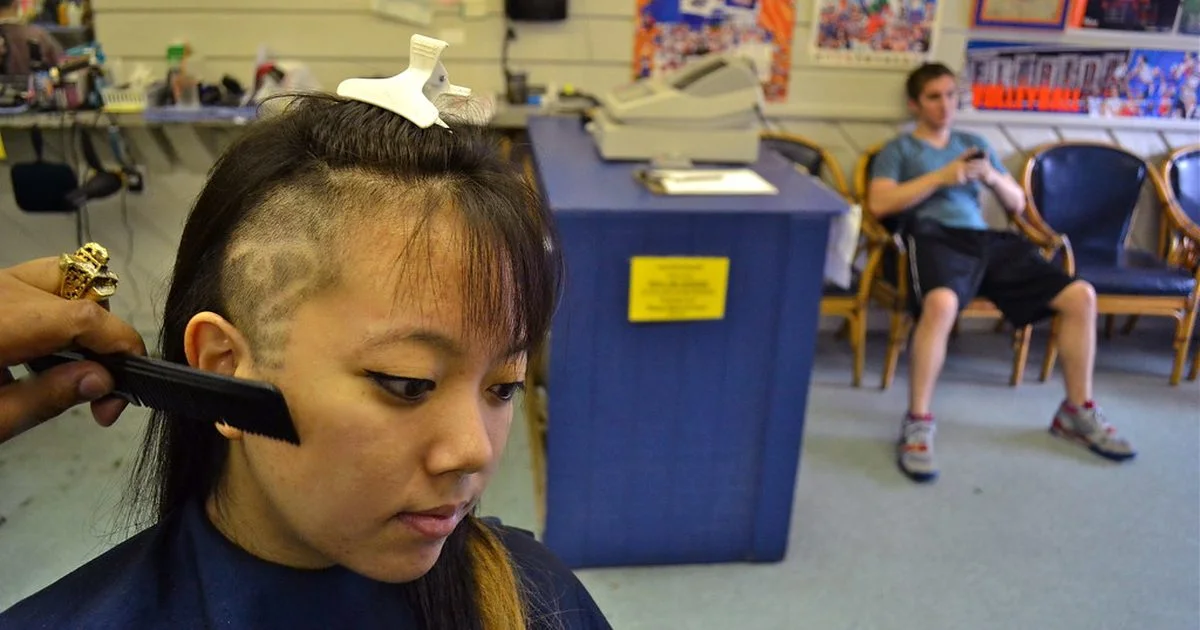
A salon diary on paper gets double-booked, phone calls interrupt clients in the chair, and no-shows leave expensive gaps. An online booking page lets clients pick a service and a free time themselves, any time of day, while you get a clear agenda.
Quick answer: An appointment booking system lets clients choose a service and an available time online and books it into your diary. For a salon or small business, set your weekly opening hours, your services with duration and price, how many clients you can serve at once, and the minimum notice you need; share your booking link on WhatsApp, Instagram and your shop page; confirm and remind clients by WhatsApp to cut no-shows. Buy More Mall sellers on the Simba package and above get online bookings in My Business → Bookings, with a public booking page.
What a Good Booking System Needs
| Feature | Why it matters |
|---|---|
| Weekly hours and closed days | Clients only see times you are open |
| Services with duration and price | A braid takes longer than a trim; slots fit the service |
| Capacity (chairs or staff) | Two stylists can take two clients at the same time |
| Minimum notice and how far ahead | No surprise bookings five minutes before |
| Confirm, done, no-show, cancel | A clean record of every visit |
| WhatsApp confirm and remind | Fewer no-shows |
| Manual bookings | Walk-ins and phone bookings go in the same diary |
How to Set Up Online Booking (Step by Step)
- Open My Business → Bookings and go to Hours & services.
- Set your hours for each day, the slot step (for example every 30 minutes) and how many clients you can take at once.
- Add services: name, duration and price (e.g. "Cornrows, 2 h, KSh 1,500").
- Choose minimum notice and how many days ahead clients can book.
- Switch online booking on and copy your booking link.
- Share the link in your WhatsApp status, Instagram bio and on your shop website, where a booking strip appears automatically.
How to Reduce No-Shows
- Confirm every booking by WhatsApp the same day.
- Send a reminder the evening before or two hours before.
- Ask for a small deposit on long services such as braids and locs.
- Mark no-shows so you can see repeat offenders.
- Keep a short waiting list for gaps.
Worked Example: A Barbershop Fills Its Mondays
A barbershop in Nyeri shares its booking link on WhatsApp status every Sunday evening. Clients pick Monday morning slots that used to be empty, and the barber sends one-tap WhatsApp reminders the night before. Within a month, Monday bookings double and no-shows fall because everyone gets a reminder.
Not Just for Salons
The same system suits barbershops, spas, nail bars, makeup artists, clinics and dentists, tutors, mechanics, photographers and consultants: anyone who sells time.
Common Mistakes to Avoid
- Offering every time slot when you only have one chair.
- Services with no duration, so bookings overlap.
- Never confirming, so clients forget.
- Keeping a separate paper diary for walk-ins.
Frequently Asked Questions
What is an appointment booking system?
A tool that lets clients choose a service and a free time online, recording the booking in your diary.
Is there a free salon booking system in Kenya?
Buy More Mall sellers on the Simba package and above get online bookings in My Business at no extra cost.
How do clients book online?
They open your booking link, choose a service, pick a free time and enter their name and phone number.
Can I add walk-in and phone bookings?
Yes, add them manually so everything is in one agenda.
How do I reduce no-shows?
Confirm by WhatsApp, remind the day before, and ask for deposits on long services.
Cover photo: Just a Little Off the Top by gilmorec, BY-SA 2.0, via Openverse. Cropped.
Related Guides
Recent Posts
How to Sign a Document Online in Kenya (2026): Free E-Signature, PDF on Phone or Laptop, and Is It Legal?
How to Start a Parcel Pickup Point Business in Kenya (2026): Requirements, Earnings per Parcel and How to Apply
How to Pay With PayPal in Kenya (2026): Does PayPal Work, Linking a Card, M-Pesa Top-up and Paying Online
How to Accept Card Payments in Kenya (2026): Card Machines, Online Card Checkout and PayPal for Small Businesses
Purchase Order (LPO) Format in Kenya (2026): Sample, What to Include and How to Raise One
Delivery Note Format in Kenya (2026): Sample, Template, What to Include and Proof of Delivery
Credit Note vs Debit Note in Kenya (2026): Meaning, Examples, When to Issue Each and eTIMS
How to Get an M-Pesa Statement for Business and Reconcile It With Your Sales (2026 Guide)
Projector Price in Kenya (2026): Home, Office and School Projectors, Lumens, Screen Size and How to Connect
 buymoremall
Kenya's Online Marketplace
Buy More Mall Kenya gives you a direct link to manufacturers, suppliers and service providers. Sellers are verified, there are no shortcuts, and customised orders come at affordable rates.
- Buy direct from manufacturers & suppliers
- Verified sellers and service providers
- Pay securely with M-Pesa
Shop
Sell & Earn
Help
Contact Us
- 0717 263 774
- Chat on WhatsApp
- buymoremallkenya@gmail.com
- Eastern bypass Ruiru Near Naivas super market @ kamakis & Nanyuki Neema Academy
- Contact page